| ||||||||||||||||
|
Inkjet Online :: Canon :: INKJET CARTRIDGES - by printer :: Canon Pixma Pro 1
Canon Pixma Pro 1Canon Pixma Pro 1 Professional Photo Inkjet Printer
The Canon Pixma Pro 1 printer is Canon's new 12 ink cartridge inkjet printer. The Pro 1 is an A3+ printer with an amazing colour range. The Canon Pro 1 is a professional inkjet printer which can produce amazing prints. The Canon Pixma Pro 1 printer uses Lucia 29ml high yield ink cartridges. The Pro 1 uses individual ink cartridges so you only need to replace the ink you use with the Pro 1 printer. The Canon Pixma Pro 1 professional inkjet printer has many features, some of which are listed below.
Canon Pixma Pro 1 Printer
Features of the Canon Pixma Pro 1 printer;
12 ink cartridge system. The Canon Pro 1 inkjet printer uses 12 individual ink cartridges. New Lucia ink cartridges are pigment based which helps your prints last when printing on Canon photo papers. Using 12 individual ink cartridges helps the Canon Pro 1 printer to produce amazing results, due to the expanded colour gamut. Using individual ink cartridges means you only need to replace the ink you use when printing with the Canon Pro 1 printer.
Canon PGI 29 Cartridges. The Canon Pixma Pro 1 uses the Canon PGI-29 Matte Black, PGI-29 Photo Black, PGI-29 Cyan, PGI-29 Photo Cyan, PGI-29 Magenta, PGI-29 Photo Magenta, PGI-29 Yellow, PGI-29 Red, PGI-29 Grey, PGI-29 Light Grey, PGI-29 Dark Grey and the PGI-29 Chroma Ink cartridges. For best printing results from the Canon Pro 1 printer use genuine printer consumables. Genuine ink cartridges and papers are always best for the Canon Pro 1 printer.
A3+ size printing. This printer, the Canon Pro 1 has the capability to print up to A3 plus size prints. The Canon Pro 1 printer takes about 2 minutes and 55 seconds to print a bordered A3 plus size print.
OIG System. This means the Canon Pro 1 printer uses technology such as the optimum mixing balance of inks and precise ink droplet placement. This system, of the Pro 1, enhances colour reproduction, natural tonal gradations and uniform glossiness in each print mode of the Pro 1, which helps to produce excellent results.
Advanced Software. A range of software comes with the Canon Pixma Pro 1 printer which makes printing easy. The Canon Pro 1 has Easy PhotoPrint Pro plug in software which allows you to simplify printer settings and allows batch printing. Expanded support is now available with the Pro 1, to the full Adobe Photoshop family, which included Photoshop, Elements and Lightroom. Using the Canon Pro 1 there is now no need to convert your images to Tiff or JPegs, you can directly print RAW images with the Pro 1 printer. An expanded range of ICC profiles is available with the Pro 1, all from well know manufacturers. Printer settings can be saved with the Canon Pro 1 printer so you have a lot of control with monochrome or colour printing when using the Pro 1 printer. The Canon Pixma Pro 1 also has 'ambient light correction' which reduces the colour difference in vision caused by different light conditions between printing and viewing your images.
Click, Connect and Print. No computer is required with the Canon Pro 1 photo printer. You can directly connect your EOS or compatible digital camera to the Pro 1 and print using Pictbridge. No turning on your computer.
Ethernet. Multiple computers can be connected to the Pro 1 inkjet printer through a wired network.
CD/DVD printing. Print directly onto the surface of a CD or DVD using the Canon Pro 1. No more labels. Use inkjet printable discs and let the Canon Pro 1 do all the work. No more hassles. The Canon Pro 1 prints CD/DVD's fast and with high quality printing.
Canon Pixma Pro 1 Professional Photo Inkjet Printer
Specifications of the
Canon Pixma Pro 1 Professional Photo Inkjet Printer
Canon Pro 1
PRINTER FUNCTIONS Canon Pro 1
Printing Speed; printing on SG-201 paper A3+ bordered approx. 2 min 55 sec. Canon Pro 1
Printing Resolution; 4800 x 2400 dpi, 4 picolitre Canon Pro 1
Number of Nozzles; Total 12,288 nozzles (Y/M/C/R/PM/PC/MBK/PBK/DGY/GY/LGY/CO 1,024 nozzles each) Canon Pro 1
Borderless Printing; A3+, A3, A4, Letter, 5" x 7", 6" x 4", 8" x 10", 10" x 12", 14" x 17" Canon Pro 1
INK CARTRIDGES;
PGI-29 Matte Black, PGI-29 Photo Black, PGI-29 Cyan, PGI-29 Photo Cyan, PGI-29 Magenta, PGI-29 Photo Magenta, PGI-29 Yellow, PGI-29 Red, PGI-29 Grey, PGI-29 Light Grey, PGI-29 Dark Grey and the PGI-29 Chroma Ink
Canon Pro 1
Ink Yield; PGI-29Y - 290, PGI-29M - 281, PGI-29C - 230, PGI-29R - 454, PGI-29PM - 228, PGI-29PC - 400, PGI-29MBK - 505, PGI-29PBK - 111, PGI-29DGY - 119, PGI-29GY - 179, PGI-29LGY - 352, PGI-29CO - 90 Canon Pro 1
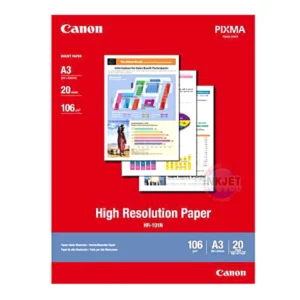
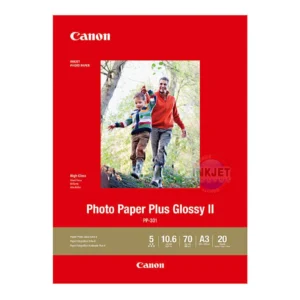
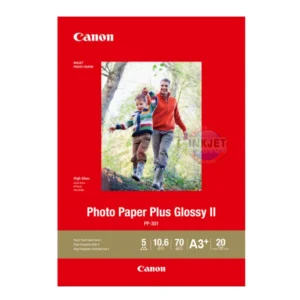
Approx. Paper Handling; (ASF / Manual Feed); Plain Paper: A3/A4/A5/B4/B5/Letter/Legal/Ledger = 150 / 1 Photo Paper Pro Platinum (PT-101); A3+ = 1, A3/A4/Letter/8"x10"=10, 4"x6" = 20 / 1 Photo Paper Plus Glossy II (PP-201); A3+ = 1,A3/A4/Letter/8"x10"/5"x7" = 10, 4"x6" = 20 / 1 Photo Paper Plus Semi-gloss (SG-201); A3+/10"x12" = 1, A3/A4/Letter/8"x10" = 10, 4"x6" = 20 / 1 Matte Photo Paper (MP-101); A3+=1,A3/A4/Letter = 10, 4"x6" = 20 / 1 Photo Sticker (PS-101); = 1 / 1 Fine Art Paper “Photo RagTM”(FAPR1); A3+/A3/A4/Letter = 1 / 1 Other Fine Art Paper; A3+/A3/A4/Letter = 1 / 1 Other Glossy Paper; A3+/A3/A4/Letter/10"x12"/8"x10" = 1 /1 Printable Disc; 1 (Manual handling by the CD-R tray) Canon Pro 1
Supported Paper Sizes; A3+, A3, A4, Letter, Legal, Ledger, A5, B5; Photo cards (4x6",5x7", 8x10") Canon Pro 1
Supported Paper Weights; Plain Paper: 64-105 g/m2 , Canon specialty paper: max paper weight : approx.300g/m2 (Photo Paper Pro Platinum PT-101) Canon specialty paper: max paper weight : approx. 350g/m2, Up to 0.6mm Canon Pro 1
Recommended Printing Area; Top margin: 42.0 mm / Bottom margin: 38.0 mm Canon Pro 1
GENERAL FEATURES Canon Pro 1
Bundled Software; Windows: Easy-PhotoPrint EX, Solution Menu EX, Easy-PhotoPrint Pro, M.Setup, Adobe RGB Profile for windows, Easy-WebPrint EX Downloader Macintosh: Easy-PhotoPrint EX, Solution Menu EX, Easy-PhotoPrint Pro, M.Setup, Easy-WebPrint EX Downloader Canon Pro 1
Interface PC: Hi-Speed USB(B Port) 7, Ethernet Camera Direct: Direct Print Port, (PictBridge)6 (Connect your EOS or compatible camera directly to the Canon Pixma PRO-1) Canon Pro 1
Operating System PC: Windows 7, Vista SP1/SP2, XP SP2/SP3, Mac: OS.X (10.4.11 or later) Canon Pro 1
Included as Standard Canon Pixma PRO-1 Inkjet Printer, CD Tray, Setup Software & User’s Guide CD-ROM, 12 individual ink tanks (PGI-29Y/M/C/R/PM/PC/MBK/PBK/DGY/GY/LGY/CO), Print-head, power cord Canon Pro 1
Power Source; AC 100-240V Canon Pro 1
Power Consumption; Max: 24W, Standby: 1.6W, Off: 0.4W Canon Pro 1
Acoustic Noise Level; 35.5dB(A) in default setting Canon Pro 1
Operating Environment; 5-35ºC, 10-90% Humidity Canon Pro 1
Dimensions (W x D x H); 695 x 462 x 239 mm (min. dimensions, paper trays & other extensions closed) Canon Pro 1
Weight 27.7kg (including print head and ink tanks) Specifications of the Canon Pixma Pro 1 Photo Inkjet Printer may change at any time.
For more detailed specifications of the Canon Pro 1 printer refer to Canon Australia.
|
| Result pages: | 1 | 2![]() |
![]() |
|


|

|